
Tap. Connect.
Grow.
Your details in one tap, from a card, a keychain or your phone. Anyone who taps it sees your profile and can save your contact. They don't need an app.
Works with iPhone and Android, by tap or by QR code.

What they see when they tap
Your profile opens in their phone's browser. No app to install, no account to make, nothing to type.
They hold their phone to your card
Or point the camera at the QR code printed on it. Every product has both.
Your profile opens
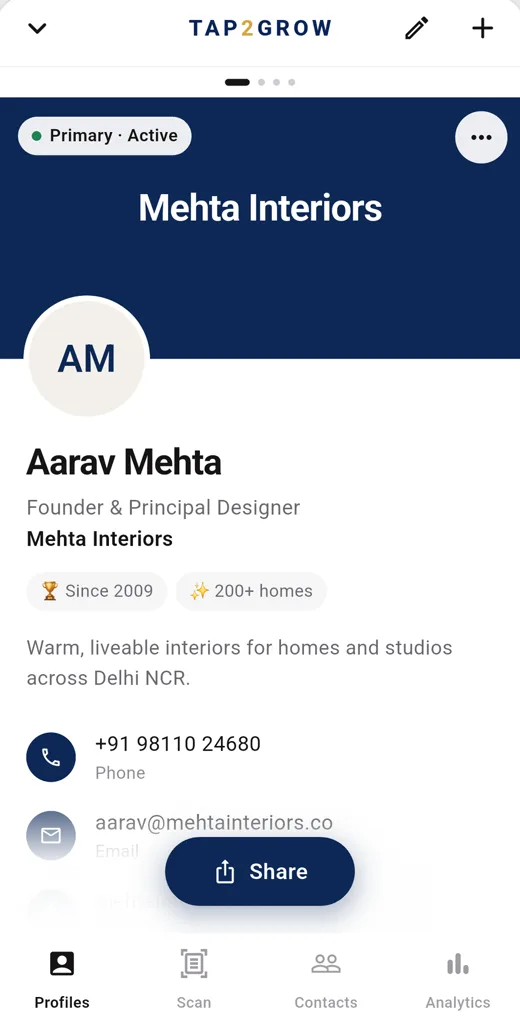
Your name, photo, number, email, links and anything else you add, in your colour.
They save you, or send theirs back
Save contact puts you in their phone. If they choose, they can share their name and number with you in return.
Aarav Mehta
Founder & Principal Designer
Mehta Interiors
Phone
Website
One account, every side of you
Keep a profile for work, one for your club or community, and one for anything else. Your card opens whichever you choose.
Switch in a tap
Make a profile active for a few hours, for an event or a weekend. It goes back to your main profile on its own.
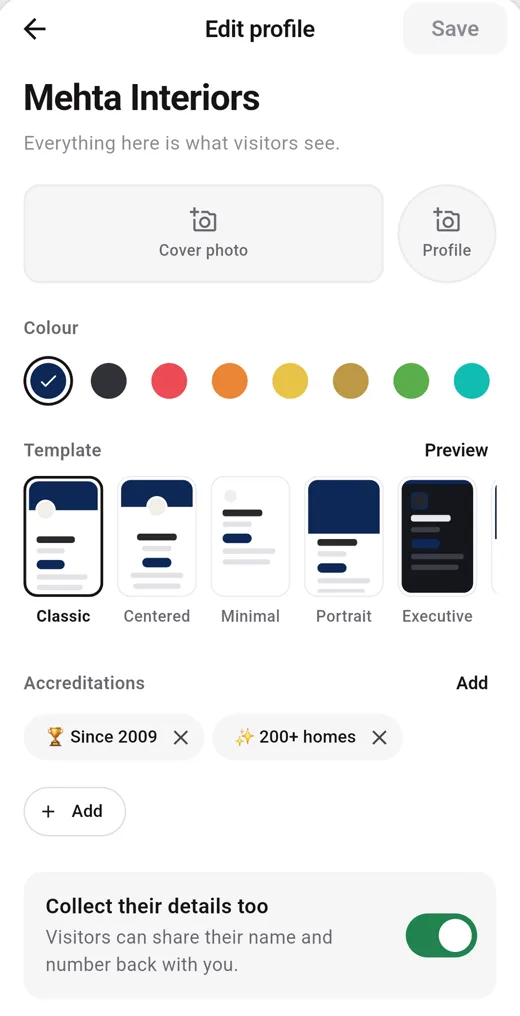
Your colour, your layout
Eight colours and seven layouts, from Classic and Minimal to Portrait and Executive.
Everything people look for
Phone, email, website, address, social links, a meeting link, photos, reviews, Wi-Fi details and a button for Google reviews.
Your logo, found for you
Type your website and the app brings in your logo for the photo or the cover.
Always up to date
A printed card is out of date the day your number changes. Every Tap2Grow product you've handed out shows your latest details.
Pick what suits the way you meet people
Each one opens the profile you choose, and you can change that from the app whenever you like.

Card
Wallet-sized, for the handshake introduction.

Keychain
On your keys, so it's with you even without a wallet.

Pet locket
On the collar, so whoever finds your pet can reach you.

Desk stand
On a counter or a stall, for every customer to tap.
No card on you? Share from your phone
Your profile goes wherever your phone does.
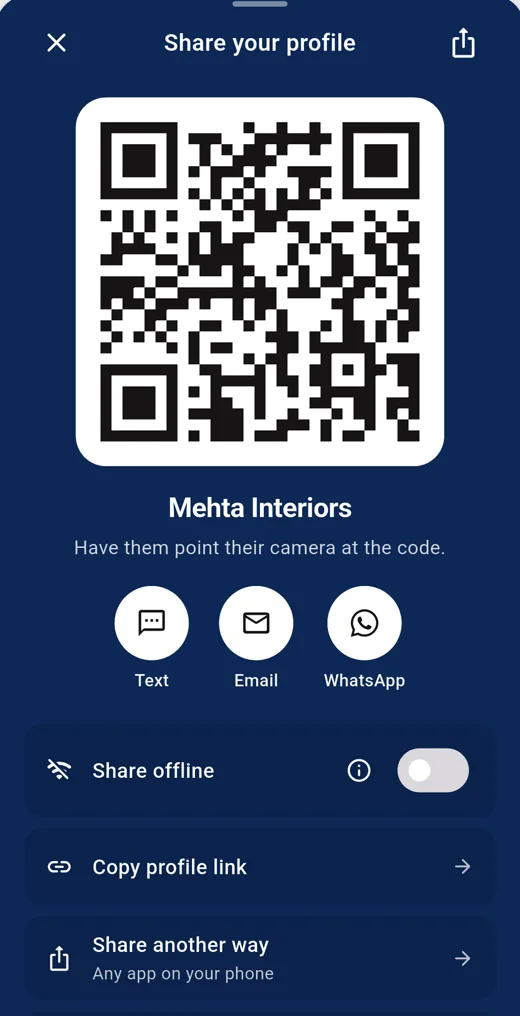
QR code on screen
They point their camera at your phone.
Text, email or WhatsApp
Send your link in one tap.
Offline QR
Your details inside the code itself, for when there's no signal.
Apple Wallet
Keep your card in Wallet on your iPhone.
Video call background
Your QR in the corner of every meeting.
Email signature
Your details under every email you send.
Remember who you met, and where
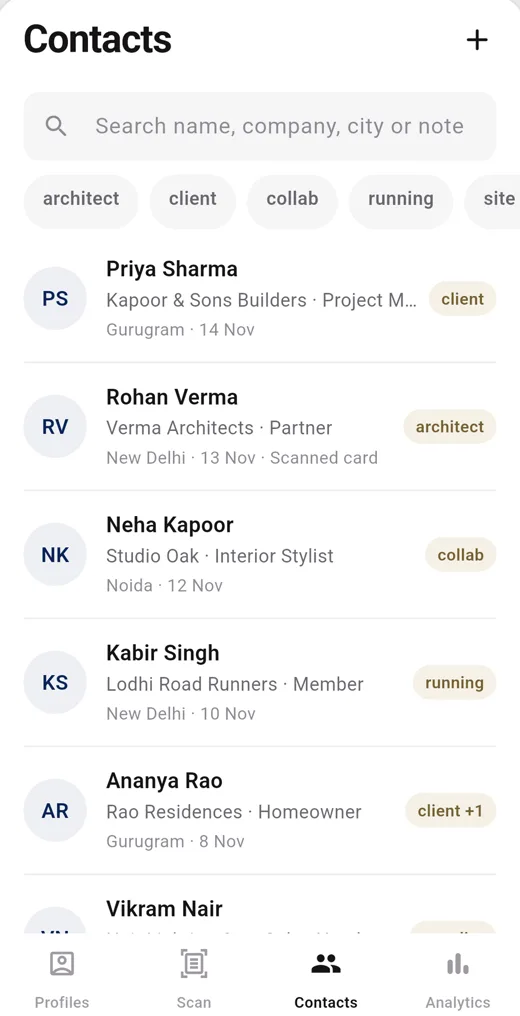
Everyone who shares their details back, and every paper card you scan, ends up in one list.
Scan paper business cards
Point your camera at a card and the details fill themselves in. The text is read on your phone.
Where and when you met
Each contact keeps the city and the date, with your own tags and notes.
Save to your phone
Send any contact to your phone's address book in one tap.
See which profile works
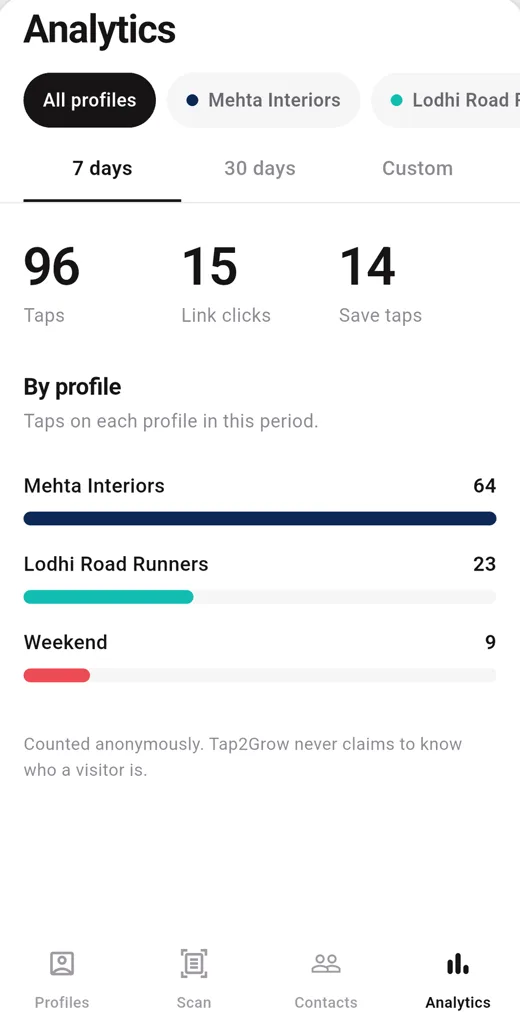
Taps, link clicks and saves for each profile, counted anonymously. We never record who the visitor is.

If it's lost, it says so
Turn on Lost Mode and your card, keychain or pet locket stops showing your profile. Whoever taps it sees a "this item is lost" page instead.
The finder can message you
They write a note from that page, and it arrives in your alerts in the app.
And tell you where they are, if they choose
Their phone can share where they tapped. There's no tracking: a tag has no battery and knows nothing between taps.
Nothing about you is shown
No name, number or photo while Lost Mode is on.
For shops, cafés and studios
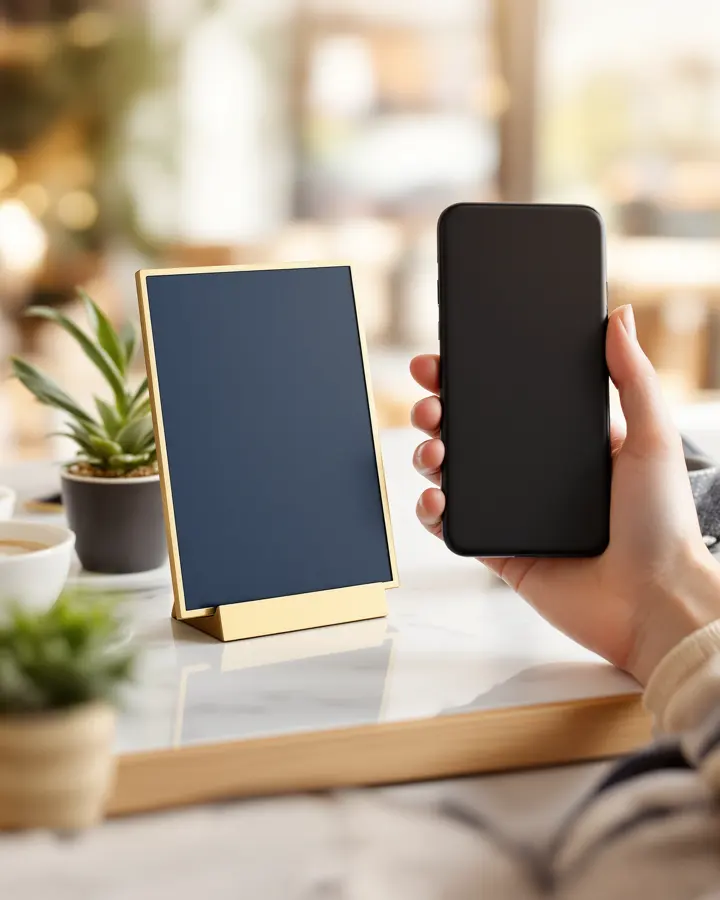
Put a desk stand on the counter and let customers tap for everything they usually ask you for.
Google reviews
A button that takes customers straight to your review page.
Wi-Fi
Your network name and password, without writing them on a board.
Photos, reviews and directions
Your work, what customers say about it, and how to find you.
Or one link only
Send every tap straight to a single page, such as your menu or your Instagram.
For teams
Order cards for everyone at once. The company owns the cards and the profiles on them, so your brand stays consistent and stays yours.

Invite your team
Each person gets a code to join. Their profile is set up for them.
When someone leaves
Their card stops showing their details, and you hand it to whoever comes next.
Events and leads
See who your team met at each event, in one place.
One place to manage it
Your company's own dashboard for your people, their cards and your events.
Your details, on your terms
Taps are counted, not tracked
No IP addresses, cookies or anything that identifies the visitor.
No ads, ever
We don't sell your details or the details people share with you.
Delete your account any time
From Settings in the app, or here. Your products are released so they can be used again.
Report a profile
Every public profile has a report link, and our team reviews every report.
Questions
Does the person tapping need an app?
No. Your profile opens in their phone's web browser, the same way any link does. Only you need the Tap2Grow app, to set up your profile.
Does it work with every phone?
Recent iPhones and most Android phones read the tap. Any phone with a camera can scan the QR code printed on every product, and it opens the same page.
What if my number or job changes?
Change it in the app. Every product you've already given out shows the new details straight away. Nothing to reprint.
What if I lose my card?
Turn on Lost Mode in the app. The card stops showing your profile and lets whoever finds it send you a message instead.
Can one card show different profiles?
Yes. Choose which profile each product opens, or let it follow whichever profile you've made active.
How do I get one?
Email us at hello@tap2grow.com to order. You then set up your profile in the free Tap2Grow app for iPhone and Android and activate your product with the code in the box.